❗️❗️❗️Important Notice: Account deletion cannot be undone. Please proceed with caution.
❗️❗️❗️All data on the account will be deleted when the account is deleted.
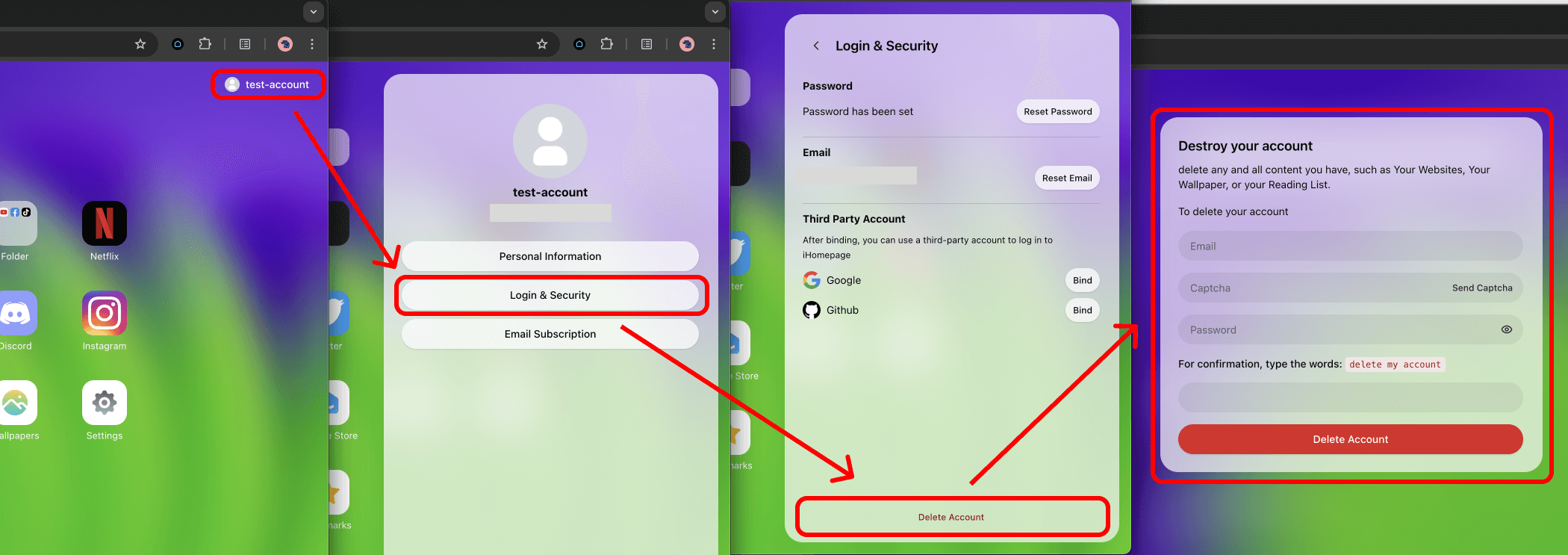
Log in to iHomepage, click [Profile], click [Login & Security], click [Delete Account], fill out the [Destroy your account] form, click the [Delete Account] button to complete the account deletion process.